
Qui suis-je ?
Tantôt maladroite, souvent têtue mais toujours souriante, je tente ici même une aventure dans la blogosphère…

Où me rencontrer ?
Eh non ! Je n’habite pas au Luxembourg ! Enfin, plus maintenant. Vous aimez les devinettes ? ça tombe bien car moi aussi. Alors si tu trouves précisément mon lieu de vie, je t’invite à dîner (même si tu es du genre masculin 🤣). Bon, je plaisante, quoi que…
En réalité je me déplace régulièrement partout en France. Actuellement, je suis en Rhône-Alpes.
Gourmande ? Oui c’est mon pêché mignon !
J’essaie de faire attention à ma ligne avec une alimentation équilibrée et variée. Je privilégie les fruits et légumes de saison et j’achète dès que cela est possible en circuits courts. J’avoue parfois faire quelques petits écarts…mais comment résister aux bons produits du terroir qui envahissent les étals de nos marchés ?
Depuis peu, j’enfile mon tablier pour concocter des recettes trouvées ici et là, sur la toile, dans les forums ou via des revues spécialisées. Je suis encore loin d’être une cheffe étoilée mais j’avance à mon rythme et ça plaît à mon entourage, c’est l’essentiel !
- Question : La peau de la courge butternut est-elle comestible ?
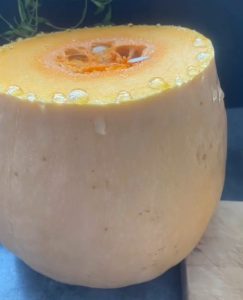 La courge Butternut n’est certainement pas l’aliment le plus simple à cuisiner. Il faut avouer que sa peau épaisse ne facilite … Lire la suite
 - Comment remplacer la crème liquide dans un gâteau ?
 La crème liquide est un ingrédient phare dans de nombreuses recettes aussi bien salées que sucrées. Dans une préparation comme le … Lire la suite
 - La recette des vraies frites belges, pas à pas
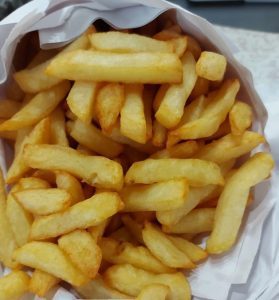 La caractéristique d’une vraie frite belge est son goût et sa consistance : dorée et croustillante à l’extérieur et moelleuse à l’intérieur. Dans … Lire la suite
 - Ma recette de granola sans sucre
 Qu’est-ce que le granola ? Le granola est un mélange de céréales, noix et graines qui est souvent utilisé comme garniture … Lire la suite
Lire les articles plus anciens
Il n’y a pas que le physique qui compte…Non ?
Me faire belle est important. J’aime prendre soin de moi et de mon corps. Tester des produits cosmétiques : j’adore ça ! Faire du shopping, je vous laisse imaginer…
- Pourquoi les produits de qualité sont-ils essentiels en maquillage ?
 Dans l’univers du maquillage, la qualité des produits utilisés tient une place primordiale. Découvrez pourquoi opter pour des cosmétiques de qualité … Lire la suite
 - Comment adopter la tendance des eyeliners colorés ?
 Plongez dans l’univers électrisant et audacieux des eyeliners colorés ! Découvrez dans cet article des astuces simples et des conseils pratiques … Lire la suite
 - Comment réussir un maquillage naturel pour les peaux sensibles ?
 Dans cet article, nous vous dévoilons les secrets pour réussir un maquillage naturel parfait adapté aux peaux sensibles. Découvrez des astuces … Lire la suite
 - Comment sublimer ses sourcils ?
 Au cœur des tendances beauté actuelles, la mise en valeur des sourcils est devenue un incontournable pour un regard parfaitement structuré. … Lire la suite
Lire les articles plus anciens
Devenir une fée du logis…pas si simple que ça en à l’air
Si comme moi vous aimez la déco, jardiner et faire le ménage (euh…faut pas abuser non plus😉à alors c’est ici que ça se passe :
- Mes solutions pour blanchir ou délaver un jean
 On a toutes dans notre garde-robe ce vieux jean qui nous plaît tant, mais dont la couleur a perdu de son … Lire la suite
 - Mes conseils pour jardiner à petits prix
 Comme toute « naturalista » qui se respecte, j’ai créé un petit coin potager sur ma terrasse. Je vais vous montrer tout ça … Lire la suite
 - Ma lessive maison au savon de Marseille
 Il y a un peu plus d’un mois, je me suis enfin lancé et j’ai fabriqué ma propre lessive. Jusque là, … Lire la suite
 - Ma recette pour fabriquer un produit nettoyant naturel et économique
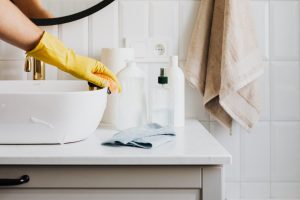 Dans ma quête du naturel à toutes les sauces, je vous propose aujourd’hui une recette de produit vaisselle naturel et très économique puisqu’il … Lire la suite
Lire les article plus anciens
Une santé de fer pour surpasser vos objectifs
Manger sain, conserver une activité physique (pas simple avec le rythme métro/boulot/dodo) et soigner les bobos du quotidien…ici, j’enfile ma blouse blanche pour vous prodiguer quelques conseils.
- D’après vous, est-ce que l’omelette fait grossir ?
 Les œufs font partie des aliments les plus consommés au monde. Pour preuve, on les retrouve dans de nombreuses recettes de … Lire la suite
 - Pourquoi les frites ne sont pas aussi grasses que vous le pensez
 Les frites sont cuites dans l’huile c’est un fait. Mais beaucoup de gens s’arrêtent là pour tirer des conclusions hâtives et … Lire la suite
 - Comment maigrir des cuisses ?
 On entend souvent parler des nombreuses façons de réduire la graisse du ventre, mais une autre zone problématique pour la plupart … Lire la suite
 - Marcher pour maigrir
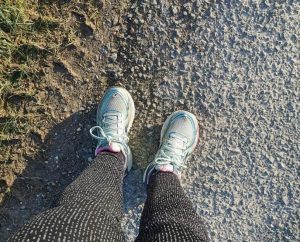 La plupart d’entre nous marchons tous les jours. Et pourtant, on le fait tellement de manière systématique qu’on oublie que c’est une activité sportive … Lire la suite
Lire les articles plus anciens
Evasions de l’esprit
La lecture m’apaise, me détend…J’aime l’univers des livres, les bibliothèques, les petits libraires de quartiers, les bouquinistes…Pas de style particulier ; du polar au roman d’aventure, de la SF au manga en passant par la bd…et même du roman d’horreur, vous savez, celui qu’on lit sous la couette un soir d’orage avant de s’endormir.
- Ugly Love, un roman de Colleen Hoover
 Ugly Love est un roman écrit par Colleen Hoover. Publié pour la première fois en 2014, ce livre est un roman … Lire la suite
 - Mes dernières lectures
 Pour ceux qui me connaissent, vous avez pu avoir un aperçu de la magnifique, que dis-je, sublimissime bibliothèque de mon université. … Lire la suite
 - L’étrange destin de Katherine Carr, un livre de Thomas H. Cook
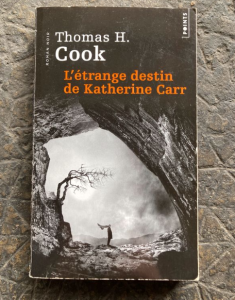 « Il y a sept ans le corps de Teddy, le jeune fils de l’écrivain George Gates, a été repêché dans la … Lire la suite
 - George de Alex Gino
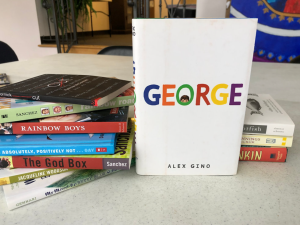 « BE WHO YOU ARE. When people look at George, they think they see a boy. But she knows she’s not a … Lire la suite
Lire les articles plus anciens

Restons en contact
Une petite présentation de moi juste ici.
Pour m’envoyer un email, je vous invite à utiliser ce formulaire de contact 📩. Je vous répondrai avec plaisir.
La liste de mes articles est disponible sur cette page.
👉 Pour collaborer ensemble, c’est très simple, envoyez-moi un produit de votre marque, et j’écrirai un article, accompagné de photos, GRATUITEMENT en échange !